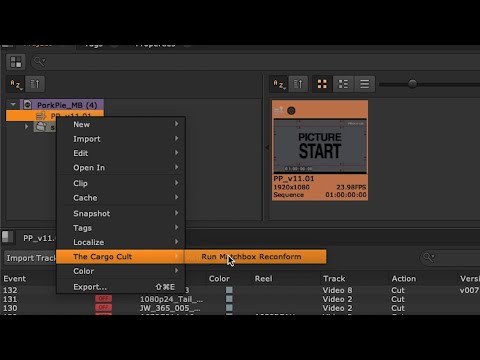
Matchbox is a Change Management solution, aimed at anyone working in post production.
It compares two versions of a reel and finds every cut change, VFX tweak or dialog slip. It reveals the differences, reporting on the damage, and then re-times your sound mix, compositing work, dialog scripts, closed captions, and anything else created to picture. It can even hunt for shots or lines of dialog anywhere on your drive, assembling the cut by eye (or ear).
Grab the full-featured 15 day trial and see for yourself.
My team see Matchbox as a lifesaver. Tedious tasks that used to take 3 or 4 hours, now take 1.
Destiny Pineda – Post Supervisor, Wild Card Creative
“Matchbox 2 is bigger, badder, and meaner in every way..”
Ryan Cole – Supervising Sound Editor, ‘Deadpool & Wolverine’
Matchbox 2 delivers an unprecedented set of new features to its already indispensable conforming and analysis tool, giving me more of the only thing I really need. Time.
Brett ‘Snacky’ Pierce – Music Editor, ‘Nope’, ‘The Invisible Man’
“Matchbox 1 was the hammer and wrench of re-conforming, Matchbox 2 is now a laser-weapon”
Frank Kruse – Sound Designer/Supervisor, All Quiet On The Western Front
“With Matchbox I can instantly see what I need to focus my attention on, and (perhaps more importantly) what I don’t need to worry about. I can get critical information out to composers and others on the team, before they’ve even dowloaded their turnovers.”
Mark Willsher, Music Mixer/Editor: Downton Abbey, The Hobbit, Lord of the Rings
“Truly a vital change management tool which is essential to productive soundpost runnings. Creating specific reconforms based on actual dialog changes is not only a huge time saver, but can also catch things that an editor might miss.”
Martin Kwok, Dialog Editor/Supervisor – The Hobbit, Tintin, Mortal Engines
Compare based on… almost anything
If you have any kind of handover from picture editorial, then you have enough. Matchbox can work with AAFs, EDLs, XML, change notes, as well as the actual reference video files and the guide audio.
Just dump it all into Matchbox and ask it to Matchup anything it can find. You can search the dialog guide audio, video tracks, audio tracks, the reference movie file, or any combination in between.
Audible and Visible Diffing
Matchbox will hunt broadly, widely, even desperately to find matches for all the footage in the new reel. But then it switches gears, looking really carefully for any little differences within all those areas of matched footage.
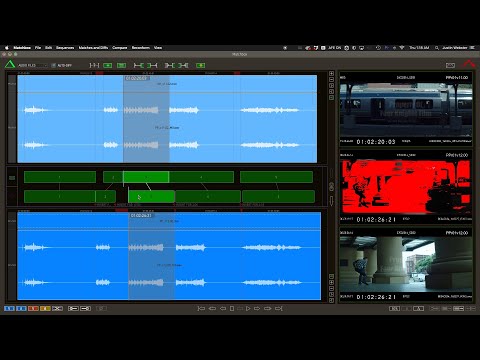
You can then step through each purple Diff object, eyeballing (or earballing) each moment, and decide for yourself if it matters to you.
Match-Back by Eye (or Ear)
That’s right – Matchbox can actually Eye-match shots in a completed reel back to the actual production media; audio or video.
Even if all you have is a lo-res render of the trailer, or a dialog guide track, that’s enough for Matchbox to figure out where it all came from and assemble the cut for you.
Key features
Reconform ADR lists in Cue Pro
Non-Lethal-Applications new Cue Pro application is going to make spotting and recording ADR much easier and more intuitive, so of course you can now reconform the Cue Pro / ADR Master timelines directly from Matchbox, just as you would with your Pro Tools session.
Tracks VFX shots as they evolve
Matchbox intelligently matches VFX shots as they evolve, so you never lose track of a shot simply because the lighting has changed. Matchbox will identify which shots have been updated, and even which elements within the shot have changed, using a visual delta and an optional overlay to highlight the changed areas.
Match-Back to Production Audio
When you don’t even have an AAF, or it’s the nasty “embedded” kind with all metadata lost, it can be almost impossible to assemble the editor’s production audio timeline.
Matchbox can now match just a consolidated dialog guide track against your full production media collection, producing an arrangement which can then be sent straight to Pro Tools. You can even take a single line from the AAF and ask matchbox to find alt takes or utterances which sound similar. Yes, this is indeed the holy grail.
Not reliant on pix dept. change notes
A carefully hand crafted, perfectly accurate change note for every cut update is what you deserve – but you’re not going to get it. And you’re definitely not going to get a note for r3v10 to r3v16 at 2am on Sunday morning. With an AAF accompanying every picture handover you’ll always be able to find the changes between any two versions, without making a call to the picture dept. You’ll get it when you need it and you’ll know it’s right for your dept.
Automatic Eye-Matching for Video Editors
Take a rendered MP4 of a trailer edit and match it back to all the possible sources in your collection which match visually. Or perhaps you have an offline render of a TVC but no EDL detailing the shots used… Point Matchbox at the folder of shots and let it build the conform for you.
You can then export this timeline of options as an OTIO or EDL for ingesting into Media Composer or any other NLE. Eye-matching is a now a distant memory.
"Smart-Conform" saves hours of cleanup
Smart-Conform is a way of looking at the reconform on a per-clip basis, allowing Matchbox to move things around more carefully, maintaining head and tail fades that overlap the cut, cleaning up all the little scraps of “conform shrapnel”, saving you hours (or days!) of tedious cleanup work after every recut.
Now available for both Pro Tools 2025.6 and Nuendo/Cubase
Find added lines and send to your DAW
For Dialog editors, a new version of the film usually means reconforming, then importing the new AAF to grab any audio clips recently added by the picture editor. This can be painstaking, and fraught with danger, lest you miss an offscreen line which the director has added to save the story.
Matchbox can now compare the old and new AAFs, then send any newly added audio straight to pro tools (25.6 or greater), laid up on tracks for you to start incorporating into the mix.
Jump DAW between Old & New cuts
No matter where you are in your Pro Tools session, Matchbox can instantly jump you to the same shot in the previous cut. While patching up the reconform, you can quickly check how a scene was designed previously, and even copy/paste an entire event in perfect sync with the new cut. Requires PT2025.6 or greater
Generate an EDL from just a rendered reel
You heard that right. Matchbox can split a rendered reel into shots with source timecode and clip-names pulled straight from the image. If you ever find yourself needing this feature, you have be royalled screwed. But it happens right? Break glass in case of emergency.
Follow DAW Mode
The little yellow “footstep” button enables Follow-DAW mode, allowing Matchbox to chase the timeline position of Pro Tools while you edit, for a constant side by side comparison of the old & new pictures for whichever scene you’re working on. If you’re ever worried that the VFX have changed the timing of your gunshots, just glance over at Matchbox and see every detail highlighted in bright red. Requires PT2025.6 or greater
Take a look at some of our other tantalising offerings
Trial request
The acceptable forehead tattoo for indentured members is the circular puck with 3 concentric rings. Rings must be spaced at 110% diameters with respect to the previous. The member may choose their own puck colour as we encourage individuality. But not blue. Justin uses blue.